

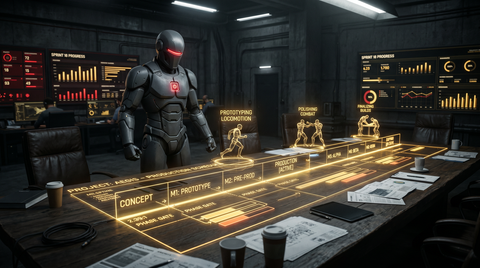
Game Animation Production Timeline: A Practical Decision Framework
Every game animation project hits the same crossroads. You need animation, and you need to decide how to get it. The options are custom motion capture, hand-keyed animation, pre-made mocap packs, or a mix of all three. Your choice depends on budget, timeline, team size, and the type of game you are making. This guide breaks down real costs, timelines, and tradeoffs — including the hybrid approach most successful studios use to ship on time and on budget.
Option 1: Custom Motion Capture
Custom mocap means booking a studio, hiring performers, and processing raw data into game-ready clips. It produces the highest-quality, most tailored results — and costs the most time and money.
What it costs
- Studio rental: $2,000–$10,000+ per day
- Performer fees: $500–$2,000+ per day per actor
- Data processing: $50–$150 per minute of captured data
- Post-capture polish: 2–6 weeks of animator time
A typical 2-day session producing 50–80 game-ready clips costs $15,000–$40,000 all-in.
Timeline
From booking to game-ready clips: 6–14 weeks. That includes prep, capture days, data processing, and cleanup.
When custom mocap makes sense
- Your game has a unique movement style no existing animation covers
- You need tightly choreographed cinematics with specific emotional beats
- Your budget exceeds $15K for animation and your timeline allows 2–3 months
Option 2: Hand-Keyed Animation
Traditional keyframe animation — posing a character frame by frame in Maya, Blender, or MotionBuilder — gives full creative control but is the slowest method per clip.
What it costs
- Freelance animator rates: $40–$100 per hour
- Per-animation cost: A polished 3-second locomotion cycle takes 1–3 days. A complex combat combo takes 3–5 days.
A full character animation set (60–100 clips) takes one experienced animator 3–6 months, costing $15,000–$35,000 in salary or freelance fees.
When keyframe animation makes sense
- Your art style is stylized or cartoony — mocap realism would fight the look
- You need very specific gameplay timing, like snappy fighting game inputs
- Your characters are non-humanoid (robots, animals, fantasy creatures)
Option 3: Pre-Made Motion Capture Packs
Pre-made mocap packs are professionally captured and organized animation sets available for immediate download. They deliver mocap quality at a fraction of the cost and timeline of custom sessions. This is the most accessible option for animation project budgets at any scale — from solo indie developer to mid-sized studio working on character design for a new IP.
What it costs
- Individual packs: $30–$200, typically 10–50+ clips
- Per-clip cost: Often under $5 — compared to $200–$800 for custom mocap
- Integration time: Import, retarget, and test in 1–3 days
Explore motion capture animation packs covering locomotion, combat, idles, and interactions — delivered in FBX, Unreal Engine, Unity, and Blender formats.
Timeline
From purchase to in-engine: same day to one week. No other option delivers this speed.
When pre-made packs make sense
- Prototyping: Get animation in-engine immediately to validate gameplay feel before committing to custom work.
- NPCs and background characters: Pre-made idle, walk, conversation, and reaction packs cover everything background characters need.
- Tight timelines: You need animation this week, not in three months.
- Supplementing custom work: Even AAA studios use packs for locomotion and NPC behaviors to reduce total production volume.
The Hybrid Strategy: How Most Studios Actually Work
Few studios use a single animation source for an entire project. The most cost-effective approach is tiered.
Tier 1 — Pre-made packs for base coverage
Start with professional mocap packs for all standard movement: walk, run, strafe, crouch, common idles, and basic interactions. This covers 40–60% of a typical game's animation needs at minimal cost. It also gives designers and programmers realistic movement to build around from day one of the animation project.
Tier 2 — Custom keyframe for signature moves
Your game's unique selling point deserves custom work. Focus animator time on the 10–20 animations only your game needs — the combat system, the signature ability, the character's personality. Check the animation state machine guide for tips on structuring these unique states.
Tier 3 — Custom mocap for premium content
If budget allows, commission custom mocap for cinematics and hero character moments that need to be exceptional. This is the final layer, not the foundation.
Decision Framework by Project Phase
Pre-production (months 1–3)
Use pre-made packs. You need animation immediately for prototyping and stakeholder demos. Your rig may not be finalized yet. Packs let your design team build gameplay around realistic movement while animators work on character design and rig development.
Production (months 3–12)
Use a hybrid. Keep packs for NPCs and standard movement. Direct animator time toward hero character animations and game-defining interactions. Schedule a custom mocap session for cinematics if budget allows.
Alpha / Beta (months 10–14)
Use packs for gap-filling. At alpha, you will find missing transitions, missing NPC behaviors, and missing edge-case locomotion states. A pre-made pack fixes a missing "NPC sitting down" animation in a day versus multi-day custom work.
Post-launch
Packs for volume, custom for tentpole drops. Live-service games need ongoing animation content. Use packs for new NPC behaviors, emotes, and ambient animations. Reserve custom animation for flagship content drops. Try a free sample pack to evaluate the pipeline before committing to a library.
Common Production Planning Mistakes
- Underestimating volume: Teams routinely undercount animations by 30–50%. A "simple" character needs 60–100 clips when you account for all locomotion variants, transitions, and idles.
- Custom mocap too early: Rig changes after a capture session waste money. Lock the rig first.
- Ignoring NPC animation: NPC and ambient animations consistently get deprioritized, then rushed. Budget for them from the start.
- Not testing in-engine early: Animation that looks great in Maya can have issues in-engine. Get animation into the engine as early as possible — pre-made packs are ideal for validating your pipeline.
Cost Comparison
- Custom mocap: $200–$800 per clip — 6–14 weeks to game-ready — best for cinematics and hero characters
- Hand-keyed: $150–$500 per clip — 1–5 days per clip — best for stylized games and unique moves
- Pre-made packs: $2–$10 per clip — same day — best for locomotion, NPCs, and prototyping
Frequently Asked Questions
Can I ship a game using only pre-made mocap packs?
Yes. Many indie and mid-sized games ship with mocap pack animation for all standard movement. If your art style is realistic and your movement systems are standard, professional packs provide ship-quality animation. The key is selecting packs with clean loops, consistent skeletons, and organized behavior categories.
Will players notice pre-made animation?
Players notice bad animation — foot skating, stiff movement, robotic transitions. They do not notice the difference between good custom animation and good pre-made mocap for standard categories. Where custom work matters is in signature moves that define your game's identity.
How do I retarget mocap packs to my rig?
In Unreal Engine, use the IK Retargeter. In Unity, use the Humanoid Avatar system — import the FBX as Humanoid and Unity handles bone mapping automatically. Retargeting a full pack typically takes under an hour. See the animation blend tree guide for integration tips after retargeting.