

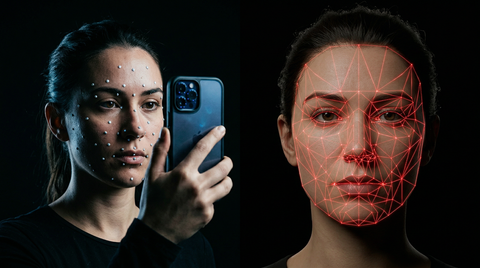
Motion capture was once the exclusive domain of AAA studios with million-dollar budgets. Today, indie game developers have access to professional-quality MoCap data at a fraction of the cost. Whether you're a solo developer building your first 3D game or a small team looking to elevate your animation quality, this guide covers every affordable MoCap path available to you in 2026.
Why Indie Games Benefit from Motion Capture
Animation quality is one of the most visible differences between indie and AAA titles. Players notice stiff, floaty, or unnatural movement immediately, and it can undermine even the most creative game design. Motion capture gives indie developers the ability to punch above their weight class, delivering character animations with the nuance and realism that players expect from polished titles.
Indie game motion capture does not require a Hollywood budget — affordable inertial suits and high-quality pre-recorded animation packs have opened professional-quality character movement to solo developers and micro-studios building in Unreal Engine or Unity.
Consider the difference between a hand-keyed walk cycle and a motion-captured one. The MoCap version includes subtle weight shifts, micro-adjustments in the shoulders, and natural arm swing that would take an experienced animator hours to replicate by hand. For indie developers who need dozens or hundreds of animations, MoCap data provides a massive quality and time advantage.
Affordable Motion Capture Solutions
iPhone and Smartphone-Based MoCap
Apple's ARKit framework and apps like Move.ai have transformed iPhones into capable motion capture devices. Using the phone's LiDAR sensor and camera, you can capture body movement with surprising accuracy. The results won't match a professional optical system, but for indie-budget projects, smartphone MoCap can produce usable animation data for basic locomotion and gestures.
Webcam-Based Motion Capture
Tools like Plask and DeepMotion use AI-powered markerless tracking through standard webcams. You record yourself performing the action, upload the video, and receive cleaned-up motion data. Quality varies depending on lighting, camera angle, and the complexity of the movement, but these tools have improved dramatically and offer free tiers that are genuinely useful for prototyping.
Rokoko and Affordable Sensor Suits
The Rokoko Smartsuit Pro II represents the most accessible dedicated MoCap hardware, starting around $2,500. While that's a significant investment for a solo developer, small studios sharing the cost or renting the suit can capture custom animations at a per-animation cost far below hiring an animator. Rokoko's software ecosystem also includes face capture and hand tracking add-ons.
Pre-Made MoCap Packs: The Most Cost-Effective Option
For most indie developers, purchasing pre-made motion capture animation packs is the smartest investment. Professional MoCap packs from studios like MoCap Online deliver hundreds of animations captured in professional studios with experienced actors, at prices that make custom capture unnecessary for standard movements.
Consider the math: a professional MoCap session costs $2,000-$10,000 per day. A comprehensive animation pack covering locomotion, combat, or everyday actions costs $50-$200 and includes dozens of polished, game-ready animations. For indie developers, the ROI is unbeatable.
MoCap Pack ROI for Solo Developers
A solo developer hand-keying a walk cycle, run cycle, idle, and basic combat set might spend 80-120 hours. At even a modest $30/hour opportunity cost, that's $2,400-$3,600 in time. A MoCap pack covering those same animations costs a fraction of that and delivers higher quality. The time saved can go toward gameplay programming, level design, or any other area where your unique creative vision matters more than animation fundamentals.
Mixamo: Free but Limited
Adobe's Mixamo offers free auto-rigging and a library of motion capture animations. It's an excellent starting point, but serious developers quickly hit its limitations: the animation library is relatively small, quality is inconsistent, every indie game using Mixamo shares the same animation feel, and commercial licensing terms require careful review. Mixamo works well for prototyping and game jams, but upgrading to professional MoCap packs is the natural next step when your project gets serious.
Budget MoCap Studio Access
Many universities with game design or film programs have motion capture studios that sit idle during breaks and evenings. Reaching out to department heads about renting studio time can yield surprisingly affordable access to professional equipment. Some cities also have shared MoCap spaces or co-working studios that offer hourly rates.
Community colleges, art schools, and even some public libraries with maker spaces have begun adding basic MoCap equipment. Check local resources before assuming you need to buy your own hardware.
DIY MoCap Setups Under $500
Building a basic MoCap setup on an extreme budget is possible with creative solutions:
- Multiple webcam arrays with open-source tracking software like FreeMoCap ($100-200 for cameras)
- PlayStation Move controllers repurposed with driver4vr or similar software ($50-100 used)
- MediaPipe by Google, completely free AI-based pose estimation that runs locally
- Plask free tier for video-to-motion conversion with limited exports per month
These DIY approaches require more cleanup work in your DCC application, but they can produce usable data for indie projects with patience and post-processing skills.
Which Animation Categories to Prioritize
On a limited budget, focus your MoCap investment on the animations players see most frequently:
- Locomotion first: Walk, run, sprint, strafe, and turn animations are seen constantly and must look good
- Idle animations second: Characters standing still are scrutinized closely by players
- Core gameplay actions third: Whatever your game's primary mechanic is (combat, interaction, traversal)
- Transitions last: Start/stop, direction changes, and blend animations that connect everything
Blending Purchased MoCap with Hand-Keyed Animation
The most practical approach for indie developers is a hybrid workflow. Use MoCap packs for foundational animations like locomotion and combat, then hand-key unique or fantastical movements that wouldn't benefit from realistic capture. Stylized attack finishers, magic casting, and exaggerated reactions often look better hand-animated anyway.
Most game engines handle blending between MoCap and hand-keyed data seamlessly through their animation state machines. The key is matching the overall energy level and timing conventions between the two sources.
Success Stories: Indie Games Using MoCap
Games like Hellblade: Senua's Sacrifice (originally an indie-budget project by Ninja Theory) demonstrated that small teams can achieve extraordinary animation quality with smart MoCap investment. More recently, indie titles across Steam have leveraged affordable MoCap solutions and pre-made packs to deliver animation quality that rivals much larger productions.
The common thread in these success stories is strategic investment: spending on MoCap data for the animations that matter most, and using that foundation to build unique gameplay experiences.
MoCap Online Packs for Indie Budgets
At MoCap Online, our animation packs are designed with indie developers in mind. Every pack includes professionally captured animations in multiple formats (FBX, Unreal, Unity, Blender, BIP, iClone), so you can import directly into your engine of choice. Our packs cover locomotion, combat, everyday actions, and specialized categories, giving indie developers access to the same quality of motion data used in professional productions.
Frequently Asked Questions
What's the cheapest way to get professional-quality MoCap animations?
Pre-made motion capture packs offer the best quality-to-cost ratio for indie developers. Packs from MoCap Online start at accessible price points and include dozens of professionally captured, game-ready animations in multiple formats. Custom capture with smartphone or webcam tools is the next most affordable option.
Can I use Mixamo animations in a commercial game?
Mixamo animations can be used in commercial projects, but the library is limited and widely used across indie games, which can make your game's animations feel generic. For a more distinctive and professional result, upgrading to dedicated MoCap packs is recommended.
How many animations does a typical indie game need?
A basic 3D action game needs 30-50 core animations (locomotion, combat, interactions). A more polished title might use 100-200+. Starting with a comprehensive locomotion pack and adding category-specific packs as development progresses is the most budget-friendly approach.
Is it worth investing in MoCap hardware as a solo developer?
For most solo developers, purchasing pre-made MoCap packs is more cost-effective than buying hardware. MoCap hardware makes sense if you need highly specific custom animations that aren't available in existing packs, or if you plan to capture animations for multiple projects over time.
Building an Indie Animation Pipeline on a Budget
For indie developers, the most cost-effective animation strategy combines pre-made motion capture packs with targeted custom work. Start with MoCap Online packs for universal movements — walking, idle, running, and combat — then invest custom animation time only in character-specific signature moves that define your game's identity.
Our free animation pack lets you validate your character rig compatibility before spending anything. Once confirmed, a typical indie action game needs 3-5 packs to cover the core movement vocabulary: one locomotion set, one combat set, one reaction/death set, and optionally an idle/social set for NPCs. At MoCap Online pricing, this costs less than a single day of professional motion capture studio time.
Many successful indie titles launched with pre-made mocap as placeholder during development, then kept it in the final product because the quality exceeded what they could achieve with manual keyframing in their timeline. The key is choosing packs that match your character proportions and art style. Test with the free pack first, then build your library from our full catalog.
Motion Capture on an Indie Budget
The economics of motion capture have shifted dramatically in favor of independent developers over the past five years. Professional optical motion capture studios that charged ten thousand dollars per day in 2020 now compete with inertial capture systems costing under two thousand dollars for a complete suit. Perception Neuron, Rokoko Smartsuit, and Xsens MVN offer real-time capture quality sufficient for game animation at price points accessible to funded indie teams. The capture data requires more cleanup than optical systems, but the total cost including suit purchase and cleanup time remains far below studio rental rates for projects requiring more than two days of capture.
Video-based markerless motion capture using tools like Move.ai and Plask eliminates hardware costs entirely. A smartphone camera recording a performer in any open space generates skeleton animation data through computer vision processing. The quality is lower than dedicated capture systems, with particular weakness in hand tracking and rapid movements, but the output is perfectly usable for background NPC animations, prototyping, and indie games with stylized visual styles that mask motion imprecision.
Pre-made motion capture libraries represent the most cost-effective path to professional animation quality for indie developers. A comprehensive motion capture pack covering locomotion, combat, interactions, and idle variations costs a fraction of a single day's studio capture time and arrives pre-cleaned with standardized skeleton compatibility. The trade-off is that animations are generic rather than character-specific, but creative retargeting and additive layering can customize pre-made clips to match individual character personalities without requiring new capture sessions.
Hybrid workflows combine pre-made motion capture with targeted custom capture for maximum efficiency. An indie fighting game might use purchased locomotion and idle packs for base movement while capturing only the signature special moves that define each character's gameplay identity. This approach puts the custom capture budget toward the animations that matter most for differentiation while established motion capture libraries handle the commodity animations that every character needs but no player scrutinizes closely.
Community motion capture events are an emerging resource for indie developers. Game development communities and university programs occasionally organize group capture sessions where multiple indie teams share studio time and costs. Each team captures their specific needs during allocated time slots, splitting the studio rental and operator costs across five to ten projects. These events also create networking opportunities and potential animation asset sharing arrangements between non-competing indie projects targeting different genres.
The total animation budget for an indie game should allocate approximately sixty percent to pre-made assets, twenty-five percent to custom capture of hero animations, and fifteen percent to cleanup and integration labor. This ratio maximizes quality per dollar spent by leveraging professional motion capture libraries for volume while reserving budget for the bespoke animations that give the game its unique character and feel.
Funding motion capture through game development grants has become increasingly viable as government arts and technology programs expand their support for interactive media. The UK Games Fund, Canada Media Fund, Nordic Game Program, and various US state film incentive programs all include game development within their funding eligibility. Grant applications that emphasize the technical innovation of motion capture integration or the cultural significance of the stories being told through animated characters have higher approval rates than applications framing capture purely as a production expense. Several successful indie studios have funded their entire motion capture budget through stacked regional and national grants, effectively reducing their animation costs to zero out-of-pocket while maintaining full ownership of the resulting animation assets.
University partnerships provide another avenue for affordable motion capture. Many game design and film production programs maintain motion capture laboratories that sit idle outside of class hours. Approaching these departments with a collaboration proposal where students gain professional production experience while the indie studio gains access to capture facilities creates mutual benefit. The studio provides creative direction and quality standards while students contribute setup labor and basic cleanup under professional supervision. The resulting captured animations may require more cleanup than studio-captured data, but the cost savings of eighty to ninety percent compared to commercial studio rates make this trade-off attractive for budget-constrained indie projects.