

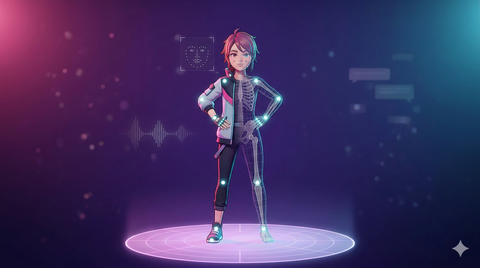
The Rise of the Virtual Performer
VTubing and digital avatar content creation have exploded from a niche curiosity into a mainstream entertainment medium. Top VTubers command millions of subscribers. Corporate brands deploy digital avatar spokespeople. Independent creators use virtual personas for streaming, video content, and social media presence. At the heart of all of it is the same technology that drives game animation: skeletal rigs, motion capture data, and real-time rendering.
For avatar creators looking to elevate their content beyond basic face tracking, motion capture animation is the key differentiator. Pre-recorded mocap clips add polished, professional movement to streams — dance sequences, expressive gestures, dynamic idle animations — that webcam-based tracking alone cannot deliver. This guide covers everything you need to know about animating virtual avatars, from face tracking fundamentals to full-body mocap integration and using pre-made animation packs to build a professional content library.
Avatar Types and Their Animation Capabilities
2D Avatars (Live2D)
Most VTubers start with Live2D — a technology that animates a layered 2D illustration by warping and deforming mesh layers to simulate 3D movement. Face tracking through a webcam drives eye blinks, mouth movement, and head tilt. The result is an expressive character that retains a hand-drawn aesthetic. Tools like Live2D Cubism and VTube Studio make this accessible to creators with no 3D modeling experience.
The limitation: Live2D avatars are restricted to upper-body expression. There is no skeleton, no full-body animation, and no ability to apply mocap data for body movement. For creators who want their avatar to move, dance, gesture, or physically perform, 3D avatars are required.
3D Avatars
3D avatars are fully volumetric characters with proper skeletons, skinned meshes, and blend shapes for facial animation. They can be driven by face tracking, full-body tracking, or pre-recorded motion capture data — and critically, they can combine all three simultaneously. A VTuber can have live face tracking for conversational content while triggering pre-recorded mocap clips for choreographed segments.
Common 3D avatar formats include VRM (an open standard built on glTF, widely supported by VTubing tools), FBX (the universal 3D interchange format), and Unity packages (for VRChat and other Unity-based platforms). Tools for 3D avatar streaming include Warudo, VSeeFace, VMagicMirror, and Luppet.
Full-Body Tracked Avatars
Full-body tracking adds lower-body movement to avatar performance, using additional hardware: SteamVR trackers on the hips, knees, and feet, inertial motion capture suits (Rokoko Smartsuit, Sony Mocopi), or AI-based markerless tracking through cameras. This enables the avatar to walk, dance, crouch, and perform full physical movement in real time — not just upper-body head and hand gestures.
Full-body setups are essential for creators who perform dance content, physical comedy, action-oriented streams, or any content where body language below the waist matters. The investment ranges from $200 (Mocopi) to $2,500+ (full Vive Tracker setup or inertial suit).
Face Tracking Deep Dive
Face tracking is the foundation of avatar expression. The quality of your face tracking directly determines how expressive and "alive" your avatar feels to viewers. There are several tiers of face tracking technology:
Webcam-Based Tracking
Standard webcams provide basic face tracking through AI pose estimation — head position, eye blinks, mouth open/close, basic expression detection. Tools like VSeeFace and VTube Studio use MediaPipe or similar ML models to extract face landmarks from standard webcam footage. Quality is adequate for casual streaming but lacks the precision for subtle expression.
iPhone ARKit Tracking (TrueDepth)
iPhones with TrueDepth cameras (iPhone X and later) provide 52 individual blend shape coefficients through Apple's ARKit framework — covering eyebrows, cheeks, jaw, lips, tongue, and individual eye movements. This is a dramatic step up from webcam tracking, enabling nuanced expression that viewers can read emotionally. Tools like iFacialMocap and Face Cap stream ARKit data to avatar software via WiFi or USB.
For most serious VTubers, iPhone face tracking is the sweet spot of quality versus cost. The 52 blend shapes capture subtle emotional states — a slight smirk, a raised eyebrow, a quizzical look — that webcam tracking misses entirely.
Depth Sensor Tracking
Dedicated depth sensors (Intel RealSense, Azure Kinect) provide high-quality face and upper-body tracking with depth information. These are less common in VTubing than iPhone tracking but offer advantages in controlled studio environments where consistent lighting and positioning are maintained.
Full-Body Tracking Solutions for Avatar Performance
Beyond face tracking, full-body tracking gives your avatar physical presence. Here is what is available at each price point:
Budget: AI-Based Markerless Tracking ($0–$50)
Software like Move.ai (limited free tier), Plask, and ThreeDPoseTracker use standard cameras to estimate full-body pose through AI. Quality is improving rapidly but still has limitations: jitter in fast movement, difficulty with occlusion, and latency that can feel disconnected during live streaming. Best for pre-recorded content where cleanup is possible.
Mid-Range: Phone-Based Inertial ($200–$500)
Sony Mocopi uses small IMU sensors attached to the body to track full-body movement without cameras. Six sensors cover head, wrists, hips, and ankles. Portability is excellent — no external cameras or base stations needed. Quality is good for casual movement and dancing but drifts over time and lacks the precision of optical or high-end inertial systems.
Professional: Inertial Suits ($1,500–$3,000)
Full inertial suits from Rokoko (Smartsuit Pro) and similar vendors provide 19+ IMU sensors covering the full body. These deliver consistent, low-latency tracking suitable for professional streaming and content production. The data quality is high enough to use as pre-recorded animation assets, not just live streaming.
Professional: SteamVR Tracker Setup ($800–$2,500)
Vive Trackers (3.0 or newer) combined with SteamVR base stations provide optical tracking for specific body points — typically waist, feet, and optionally knees and elbows. Combined with VR headset and controller tracking for head and hands, this provides very precise full-body tracking with minimal drift. The standard choice for VRChat performers and professional 3D VTubers.
Using Pre-Made Mocap Packs for Avatar Animation
Live tracking captures your real-time performance, but pre-recorded motion capture animation fills the gaps that live tracking cannot. Professional mocap packs are invaluable for avatar creators in several scenarios:
Idle and Breathing Animations
When you are not actively performing — reading chat, adjusting settings, taking a drink — your avatar should not freeze. Professional idle animations with subtle breathing, weight shifts, and micro-movements keep your avatar looking alive during downtime. These loop seamlessly in the background while face tracking handles your expressions.
Dance and Performance Clips
Choreographed dance sequences require either expensive full-body tracking hardware or pre-recorded mocap clips. A library of dance animations lets creators trigger polished dance performances during streams without any body tracking hardware at all. The avatar performs the dance flawlessly while the creator's face tracking drives facial expression on top.
Gesture Libraries for Hotkey Triggers
Map pre-recorded mocap gestures to stream deck buttons or keyboard hotkeys: a wave, a bow, a shrug, a facepalm, a victory pose, a fighting stance. These triggered animations add physicality and entertainment value to streams. Viewers love when avatars perform expressive physical reactions — and hotkey-triggered mocap clips deliver this consistently without requiring full-body tracking.
Intro and Outro Sequences
Professional stream intros and outros with choreographed avatar movement set the tone for your content. A mocap-driven entrance animation — your avatar walking in, stretching, settling into their streaming position — is dramatically more engaging than a static avatar popping onto screen.
Demo Reels and Promotional Content
Avatar creators producing demo reels, promotional videos, or social media clips need polished animation that represents their avatar at its best. Pre-recorded mocap provides the consistent, high-quality movement needed for content that will be watched repeatedly and judged on production value.
MoCap Online's animation library includes packs covering all of these use cases — idle loops, gesture sets, locomotion, dance movements, and expressive performance clips. All packs are available in FBX format for import into Blender, Unity, and any tool that supports standard skeletal animation. Check out our VTuber Motion Capture Guide for a detailed walkthrough of integrating mocap into your VTubing workflow.
Animation Retargeting to Avatar Rigs
Retargeting maps animation data captured on one skeleton onto a different skeleton — your avatar's rig. This is what makes pre-made mocap packs usable on any avatar, regardless of the character's proportions or bone naming. Key steps:
- Align source and target T-poses to the same orientation. Most mocap packs and avatar rigs use either T-pose or A-pose — match them before retargeting.
- Map bone names using the retargeting tool (Unity Humanoid configurator, Unreal IK Retargeter, Blender's bone mapping, MotionBuilder Characterize). VRM avatars follow a standard bone naming convention that maps cleanly to most mocap data.
- Apply and preview — watch for shoulder, hip, and spine offset artifacts. These are the most common retargeting issues and usually require minor adjustment.
- Fine-tune with offset layers or additive animation to correct residual errors. Common fixes include adjusting shoulder width offset and hip height.
- Bake and export as FBX or keep in the tool's native format for your streaming software.
In Blender (the most common DCC tool for VTuber avatar work), retargeting can be done with the Rigify addon, the Auto-Rig Pro retarget feature, or the free Rokoko Studio Live plugin. In Unity, the Humanoid Avatar system handles retargeting automatically when both source and target are configured as Humanoid rigs.
Rigging Avatars for Animation Compatibility
A well-rigged avatar is the foundation of clean animation — both live tracked and pre-recorded. Key considerations for ensuring your avatar works with mocap data:
- Humanoid skeleton hierarchy: Follow a standard humanoid hierarchy (Unity Humanoid, UE5 Mannequin, or VRM standard) so retargeting tools can map bones automatically. Non-standard hierarchies require manual bone mapping for every animation source.
- Consistent bind pose: Set your bind pose as T-pose or A-pose consistently. Inconsistent bind poses cause rotation offsets when applying external animation data, resulting in twisted limbs or offset shoulders.
- Blend shapes for facial expression: VRM avatars use a standardized set of blend shapes (Joy, Angry, Sorrow, Fun, A, I, U, E, O) for face tracking compatibility. Full ARKit compatibility requires 52 blend shapes matching Apple's shape names — more shapes means more expressive tracking.
- Clean weight painting: Weight painting quality determines how well your avatar's mesh deforms at joints. Elbows, shoulders, and knees are the most common problem areas. Poor weight painting causes mesh distortion that is visible in every animation.
- Bone count optimization: Real-time platforms have bone limits. Keep secondary bones (hair, cloth, accessories) outside the main humanoid chain where possible, and configure physics-driven secondary motion separately from skeletal animation.
Live Performance vs. Pre-Recorded: The Best of Both
Live performance offers spontaneity and direct audience interaction — every gesture and expression is authentic in the moment. It requires reliable tracking hardware, low-latency software, and a controlled environment. The connection between performer and audience is immediate and genuine.
Pre-recorded mocap delivers consistency and polish — ideal for opening sequences, sponsored segments, promotional videos, music performances, or any content where quality must be controlled and repeatable.
Most professional avatar creators blend both approaches: live tracking for conversational content (the core of streaming), pre-recorded mocap clips for choreographed segments (dances, reactions, intros). Streaming tools like Warudo support this hybrid workflow natively — face tracking runs continuously while pre-recorded body animations can be triggered on top via hotkeys or stream deck integration.
This hybrid approach means you do not need a $3,000 full-body tracking setup to have an expressive, physically animated avatar. Face tracking (even webcam-level) combined with a library of pre-recorded mocap clips for body animation gives you 90% of the visual impact at a fraction of the hardware cost.
VTubing Software for Animation Integration
VSeeFace
A free, lightweight face-tracking application for VRM and VSFAvatar models. Outputs via VMC Protocol to OBS or other receivers. Extremely popular among independent VTubers for its zero-cost entry point and plugin ecosystem. Supports basic pre-recorded animation triggering through VMC-compatible tools.
Warudo
A feature-rich 3D avatar streaming tool built on Unity. Supports VRM and custom Unity assets, full-body tracking integration from multiple sources, physics-based hair and cloth, scene design tools, and a node-based blueprint system for interactive elements. Warudo's animation system supports layered pre-recorded clips over live tracking — the go-to choice for 3D VTubers seeking production-quality streaming with mocap integration.
VBridger
A bridge tool that connects various tracking sources to avatar rendering software, supporting VMC Protocol, OSC, and proprietary formats. Useful for routing mocap data from capture software to streaming tools that do not natively support that tracking source.
Building Your Avatar Animation Library
A well-equipped avatar creator maintains a library of animation clips organized for quick access during streams and content production:
- Idle set (3–5 clips): Subtle breathing and weight shift variants for when you are not actively performing. These run on loop in the background.
- Gesture set (10–20 clips): Waves, bows, shrugs, pointing, thumbs up, facepalm, victory pose, thinking pose. Mapped to hotkeys for instant triggering.
- Reaction set (5–10 clips): Surprise, excitement, disappointment, laughter, anger. Triggered in response to chat messages, donations, or game events.
- Performance set (5–10 clips): Dance sequences, martial arts poses, exercise movements, musical instrument miming. For entertainment segments and special events.
- Transition set (3–5 clips): Entrance animations, exit animations, "settling in" sequences. For stream intros, outros, and scene changes.
Starting from scratch, this library would require 25–50 animation clips. Pre-made mocap packs from MoCap Online can fill most of these categories immediately — professionally captured human movement that retargets to VRM and custom avatar rigs.
Frequently Asked Questions
What is the best free software to start VTubing with a 3D avatar?
VSeeFace is the most accessible starting point — it is free, supports VRM avatars, and works with a standard webcam for face tracking. Pair it with a free VRM avatar from VRoid Studio (also free) and OBS for streaming. For more advanced features and pre-recorded animation support, Warudo offers a free tier with the core functionality needed for 3D VTubing.
Can I use MoCap Online animations on my VTuber avatar?
Yes. FBX animations from MoCap Online can be imported into Blender or Unity and retargeted to a VRM-rigged avatar. The retargeted clips can be used as pre-recorded animations in your streams (triggered by hotkeys), promotional video content, avatar emotes, or idle animations that play while you are live. See our VTuber Motion Capture Guide for a step-by-step walkthrough.
Do I need full-body tracking to use mocap animation on my avatar?
No — this is one of the key advantages of pre-recorded mocap packs. You do not need any body tracking hardware at all. The mocap clips provide the body animation, and your face tracking (webcam or iPhone) provides the facial expression on top. The combination looks like full performance capture without requiring any body tracking investment.
How many blend shapes does a VRM avatar need for full face tracking?
The VRM standard requires a minimum set of 10 blend shape clips (A, I, U, E, O, Joy, Angry, Sorrow, Fun, Neutral). Full ARKit face tracking compatibility requires 52 blend shapes matching Apple's ARKit shape names. More shapes means more expressive tracking — the difference between a character that blinks and smiles versus one that can convey subtle skepticism, amusement, or concern.
What is VMC Protocol?
VMC (Virtual Motion Capture) Protocol is a UDP-based communication standard built on OSC (Open Sound Control) specifically designed for transmitting avatar bone transforms and blend shape values between applications. VSeeFace, Warudo, and many other avatar tools use VMC Protocol as the standard data pipe between tracking source and avatar renderer. If your tools support VMC, they can talk to each other.
Can I use the same mocap pack across multiple avatar characters?
Yes. As long as your avatars use a standard humanoid skeleton (which VRM, Unity Humanoid, and Unreal Mannequin all provide), a single mocap pack can be retargeted to every avatar in your collection. Buy the animation once, use it on every character you create. This is particularly valuable for creators who operate multiple avatar personas or who upgrade their avatar model over time.
Elevate Your Avatar with Professional Motion Capture
The difference between a VTuber avatar that feels like a talking head and one that feels like a living, physical character comes down to body animation. Face tracking gets you expression. Pre-recorded mocap gets you movement — the gestures, dances, reactions, and idle animations that give your avatar a physical presence on screen.
You do not need a motion capture studio or expensive tracking hardware to achieve this. A library of pre-made mocap clips, retargeted to your avatar rig and mapped to hotkeys in your streaming software, delivers professional-quality body animation at a fraction of the cost of full-body tracking hardware.
Explore MoCap Online's animation library for professionally captured mocap packs covering idle loops, gestures, dance sequences, locomotion, and expressive performance clips. All packs are available in FBX and multiple engine formats, ready to retarget to your VRM or custom avatar rig. And for a complete integration walkthrough, read our VTuber Motion Capture Guide.
Animation Packs for VTubers and Digital Avatars
Give your virtual avatar professional-quality body animation without expensive tracking hardware. MoCap Online offers professionally captured motion capture packs featuring idle loops, gesture sets, dance sequences, expressive reactions, and locomotion clips — perfect for VTuber streams, avatar content creation, and digital character demos. Every animation is recorded with optical capture equipment and available in FBX, Unreal Engine, Unity, Blender, and iClone formats.
Browse the Full Animation Library → | Read the VTuber Mocap Guide → | Try Free Animations