

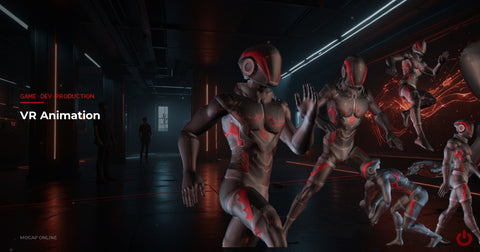
- VR animation requires full body IK — players see their own arms and expect them to match controller position.
- Latency above 20ms in hand animation breaks presence; prioritise responsiveness over visual complexity.
- Locomotion must be handled carefully in VR to avoid motion sickness — dash, teleport, or smooth with comfort settings.
- A quality motion capture system provides NPC animation that reads naturally at VR viewing distances.
- VR has tighter performance budgets than flat screens — use animation LOD aggressively.
VR Animation and Motion Capture: A Practical Guide
Animating for virtual reality demands a different approach than any other medium. VR animation motion capture brings unique challenges — players are inside the world, not watching from outside. Poor body movement breaks presence. Mismatched motion causes nausea. This guide covers the core systems every VR developer needs to understand: full body IK, controller-driven arms, locomotion, and how to build your NPC animation library with a motion capture system.
Why VR Animation Is Different
- Presence and embodiment — players perceive spatial relationships directly. Wrong motion destroys immersion instantly.
- Simulator sickness — visual-vestibular mismatch from camera-driven animation causes nausea. The VR camera must never be moved by animation.
- IK constraints — player hands are driven by tracked controllers, not clips. Every system must integrate with real-time IK.
- Latency sensitivity — blend transition times that feel smooth in flat games feel sluggish in VR. Target 0.05–0.15s for player avatar transitions.
Full Body IK for VR Avatars
Most headsets track the head and two hands — 3 data points. A Full Body IK (FBIK) solver reconstructs the entire skeleton from those anchors every frame. It solves for shoulders, spine, hips, knees, and feet to create a plausible pose.
Common FBIK solutions:
- Unity Animation Rigging — built-in Two Bone IK, Multi-Aim Constraint, and Chain IK for custom FBIK rigs
- FinalIK (Root Motion) — popular third-party asset with a VRIK component built for VR avatars
- Unreal Engine Control Rig + Full Body IK Node — UE5's native FBIK solver inside the Control Rig graph
Even with real-time FBIK, motion tracking data fills critical gaps. Idle sway and breathing layers add life when the player is still. Walk and run cycles provide foot placement data that FBIK then adapts to terrain. NPC characters need full animation coverage from mocap — they aren't IK-driven.
Controller-Driven Arm Animation
Player hands follow controllers — there is no pre-authored arm animation for the player. The arm, shoulder, and upper body still need to look correct as the player reaches in any direction.
The standard approach is Two-Bone IK: place the effector at the controller position, solve the elbow using a pole vector offset to the side of the body, and drive the wrist to match. For positions outside the natural range — arms stretched overhead, extreme reaches — clamp the effector to a comfortable zone to prevent uncomfortable solver results.
As the player raises their hand above their head, add a clavicle aim constraint toward the controller and a spine bend in the reach direction. This creates a far more natural look than raw Two-Bone IK alone.
Controller buttons drive hand poses — relaxed grip, pointing finger, thumbs-up. Author these as static poses or short blend-to animations, then blend them on top of IK-driven wrist positions.
Locomotion: Teleport vs. Smooth Movement
Locomotion is the biggest comfort decision in VR. It also determines your animation requirements.
Teleport locomotion is the safest option. The avatar doesn't animate walking — it snaps to a new location. Animation needs are minimal: a teleport-ready pose and a landing effect.
Smooth locomotion allows a full walking animation but can cause simulator sickness. If you use it:
- Use a BlendSpace2D with mocap walk and run clips for 8-directional movement
- Never apply head-bob from animation to the VR camera — apply it to the avatar neck only
- Add a comfort vignette option that darkens peripheral vision during motion
- Source walk cycle animation from professional mocap to ensure natural gait timing
For room-scale experiences, the player physically walks. Blend in walk animation based on movement speed to reinforce physical motion. Keep animation amplitude low to avoid visual conflict with the player's actual body.
Animation Blending in VR
Avatar self-collision — in flat games, arm clipping through the torso goes unnoticed. In VR, players look at themselves directly. Add collision avoidance or limit IK range to prevent self-intersection.
Additive layers — add a breathing cycle additively on top of the idle pose. Add a subtle head nod when an NPC speaks. These micro-animations increase perceived life without complex state machine changes. Additive layers are especially powerful in vr ar environments where everything is perceived at life scale.
Social VR: Gestures and Expressions
In social VR platforms — VRChat, Resonite, AltspaceVR — animation serves as communication. Waving, pointing, shaking hands, and gesturing while speaking are the primary interaction tools. Professional mocap is especially valuable here. When another player stands right next to you, keyframed gestures look mechanical. Mocap gestures feel natural.
Common social VR clips needed: wave, point, thumbs up/down, shrug, clap, seated idle variations, and lean-in listening poses. Browse motion capture animation packs for ready-made gesture and interaction sets, or grab the free sample pack to test before committing.
Unreal Engine 5 VR Setup
- Full Body IK Node — configure effectors for head, left hand, and right hand; drive them from XR Component transforms
- Control Rig — handles both the FBIK solve and the mocap base layer blending
- Motion Warping — adapts locomotion animation to arbitrary target positions and surfaces
- Pose Search (UE 5.3+) — motion matching-style pose selection that blends naturally with IK
For NPC characters, import your mocap FBX packs directly, retarget to your character skeleton using the IK Retargeter, and drive NPCs from standard Animation Blueprints. Explore Unreal Engine packs for pre-cleaned clips ready to drop in.
Unity XR Setup
- Install the Animation Rigging package for IK constraints
- Create a Rig object under your avatar root
- Add Two Bone IK Constraint components for left and right arms, targeting XRI hand anchors
- Add a Multi-Aim Constraint on the head bone targeting the HMD
- Set up an Animator Controller for the body layer with your mocap locomotion and NPC clips
Building Your NPC Animation Library
Keyframing every NPC animation in a VR game is not practical. Mocap packs are the standard solution. For VR, prioritize these categories:
- Idle and ambient life — NPCs standing, looking around, shifting weight. Essential for believable crowds.
- Conversation and gestures — pointing, nodding, explaining with hands. Makes dialogue scenes feel alive.
- Reactions — startled, backing away, reaching out. Interactive NPCs need reactive clips.
- Task-specific animations — working at desks, examining objects, operating machines.
Frequently Asked Questions
Do I need motion capture for VR games?
Not strictly, but mocap dramatically improves NPC animation quality. For the player avatar's IK-driven arms and hands, mocap is less critical — those are driven by controller data in real time. For everything else in the world, professional mocap is the fastest path to high-quality animation.
How do I prevent simulator sickness from animation?
Never apply animation-driven motion to the VR camera. The camera must track the HMD position and rotation directly. Sickness comes from visual-vestibular mismatch — the player's head is still but the camera moves, or vice versa.
What frame rate do I need to target?
90fps is the standard minimum. Some headsets run at 72Hz, 80Hz, or 120Hz. Your animation system must evaluate at the headset's native refresh rate with consistent frame timing. Dropped frames cause more discomfort in VR than in flat games.
Can I share animation assets between flat and VR builds?
Yes. Mocap FBX files work in both. The difference is the runtime layer: flat builds use a standard animation state machine, VR adds IK constraints on top. Keep your animation library shared and configure the IK layer separately for the VR build.
Summary
VR animation is defined by one word: presence. Every animation choice either supports the feeling of being inside the world or undermines it.
Full body IK is the backbone of first-person VR characters. When arms, hands, and controllers align, players feel embodied. When they drift, immersion collapses.
NPC animation in VR benefits greatly from motion capture data. Characters that move with real human weight and timing feel believable at the close viewing distances VR creates.
Performance is non-negotiable. VR targets 72–120fps on constrained hardware. Build animation LOD into your pipeline from the start, not as an afterthought.
Test your animation system inside a headset early and often — issues invisible on a monitor are immediately obvious in VR.