

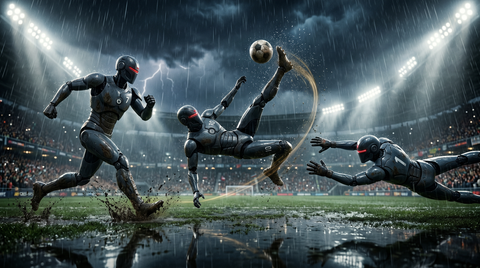
Sports games live and die by animation quality more than almost any other genre. Racing games can hide poor character animation behind camera distance. Shooters bury it in chaos. But a sports animation system puts a human body — moving, jumping, throwing, catching, tackling — front and center at 60 frames per second, and the player knows exactly how that body should look. They've watched it happen live. They've played the sport themselves.
This is why sports animation is one of the most technically and artistically demanding disciplines in game development. And it's why motion capture is not just helpful in sports games — it's essentially mandatory for anything approaching professional quality.
This guide covers the full picture: what makes sports animation technically hard, how professional studios use mocap for sports titles, and how indie developers can access the same quality tools. Browse our animation library to find locomotion, sport-specific action, and crowd packs that bring your sports title to life.
What Makes Sports Animation Uniquely Difficult
Speed and Precision
A basketball player changing direction at full sprint, a boxer's jab completing in under 8 frames at 60 fps, a soccer player's contact foot at ball strike — these moments happen faster than hand-keyed animation can plausibly capture. The physics of acceleration, deceleration, and body lean during rapid direction changes require either extremely skilled animators with reference video on every frame, or mocap.
Mocap data captures these high-speed moments with biomechanical accuracy. The performer's weight distribution during a cut, the counter-rotation of the hips before a throw, the micro-pause at the peak of a jump — these details come automatically from professional mocap and are nearly impossible to recreate convincingly by hand at scale.
Precision Contact Events
Sports involve precise contact: ball leaves hand, foot strikes ball, bat contacts ball. These frames must be exactly right. A baseball swing where the bat visually misses the ball by even 10 pixels will be noticed by any player who's watched a game. Contact animation must be synchronized with physics simulation to the frame.
Scale and Variety
A professional sports title ships with thousands of animations. A single player's movement set might include:
- 15–20 locomotion states (forward, backward, strafe, sprint, decelerate in every direction)
- 50–100 skill moves or sport-specific actions
- 20–30 idle variations and celebration animations
- Hundreds of two-player interaction animations (blocks, tackles, handshakes, fights)
Producing this volume through hand-keying is economically impossible for most studios. Mocap is the production tool that makes it achievable.
How Professional Sports Game Studios Use Mocap
EA Sports, 2K, and other major sports game publishers run full mocap facilities or rent dedicated studio time each development cycle.
Performance Capture Sessions
Professional athletes or trained stunt performers wear full-body mocap suits and perform game-relevant actions on a purpose-built stage. A typical sports animation session might capture:
- Full locomotion cycles at multiple speeds
- Sport-specific skill actions (dribbling moves, specific throws, kicks)
- Reaction animations (celebration, frustration, injury)
- Two-player interaction setups requiring synchronized performers
Data Pipeline
- Optical or inertial suit captures joint positions at 120–240 fps
- Motion solve converts marker positions to skeleton bone rotations
- Animator review and cleanup in MotionBuilder or Maya
- Retargeting to the game's specific character skeleton
- Engine import and parameter assignment
For indie studios, professional mocap packs compress this pipeline dramatically — you receive already-solved, already-cleaned sports animation ready for retargeting to your character.
Locomotion Blending for Sports Characters
Sports character locomotion is more complex than standard third-person game locomotion because speed changes are frequent, direction changes are rapid, and the character's body lean and weight distribution must match physical reality.
Speed Layers
- Walk (0–2 m/s) — used for positioning and out-of-play movement
- Jog (2–4 m/s) — standard in-play movement
- Run (4–6 m/s) — normal sprint
- Sprint (6–8+ m/s) — maximum effort, reduced control
Each tier needs directional variants (forward, backward, strafe left, strafe right, and diagonals for a full 8-direction system). A comprehensive sports animation locomotion set will have 40–60 clips just for movement before any sport-specific actions are added.
Acceleration and Deceleration
One of the most common quality problems in indie sports games is the snap between locomotion states. Professional sports games capture:
- Acceleration start animations (push-off from idle into sprint)
- Plant-and-cut animations (stopping one direction and launching another)
- Deceleration stops (coming to rest from run)
- Emergency stops (braking from sprint to complete stop in 2–3 frames)
These transitions transform the feel of sports character control from "floaty" to "physical."
Stride Matching
Locomotion cycles must stride-match to actual movement speed or the character will appear to skate. Calculate the root motion distance per cycle of each animation and set your movement speed in code to match. In Unreal Engine, enable root motion and let the animation drive actual character displacement for locomotion.
Motion Warping for Terrain Adaptation
Motion warping (Unreal Engine 5) dynamically adjusts an animation's root motion to hit specific target positions:
- A goalkeeper dive animation that warps to reach the actual ball position rather than a fixed offset
- A tackle animation that warps contact frames to the defender's real position
- A jump that warps peak height to clear an obstacle at the actual height detected by IK traces
Crowd and Spectator Animations
The crowd is the atmosphere of sports. A stadium with static mannequins feels like a training ground. A crowd that reacts — rises for a big play, groans at a miss, waves synchronized sections — creates the sense of an event.
Crowd Animation Strategies
Instanced static meshes (ISM) — render thousands of crowd members at minimal GPU cost by sharing mesh data. Drive animation through vertex shaders rather than full skeletal animation.
Skeleton LOD for crowd — for the nearest 50–100 crowd members visible at high detail, run full skeletal animation. For rows 10+ back, switch to vertex animation texture (VAT) — baked animation playing back in a shader at near-zero CPU cost.
Procedural crowd reaction — trigger crowd state changes (cheer, groan, wave) through a crowd manager that propagates reaction animations from the nearest spectators outward in a ripple pattern.
Crowd Sports Animation Packs
The MoCap Online crowd animation library includes spectator animations captured in live environments — standing ovations, seated cheering, standing-to-sitting, booing, and synchronized wave motions. These sports animation clips can be instanced across thousands of crowd characters using the VAT pipeline.
Animation-Driven Physics
In sports games, physics and animation interact constantly. The ball's trajectory after a kick is calculated by physics simulation, but the input to that simulation (foot speed, angle, contact position) must come from animation data.
Foot Contact Events
- Sample the foot's world-space velocity from the skeletal mesh component
- Apply that velocity vector to the physics ball as an impulse
- Scale the impulse by input modifier (button hold time, direction input)
Ball Carry and Dribble
For sports where the player carries or dribbles the ball, attach the ball to a socket on the hand/foot skeleton. Drive socket position from the animation and let the ball follow. At release frames (throw, kick, dribble), detach and switch to physics simulation.
License Considerations for Athlete Likeness
If your sports game includes real athletes, there are layers of IP to navigate:
- Use fictional characters and generic uniforms for indie games without official league licensing
- Capture motion from professional stunt performers, not the athletes themselves
- Avoid jersey numbers, names, or sufficiently distinctive physical characteristics that could constitute likeness
All MoCap Online animation packs are sold with a commercial license that covers use in commercial game titles, granting perpetual rights to use the sports animation data in games, applications, and other interactive media.
Indie Sports Game Development Tips
Narrow Your Scope Aggressively
- Pick one sport and one perspective (side-scrolling vs. 3D)
- Reduce the player count (2v2 instead of 5v5 or 11v11)
- Limit the animation set to what's visible in a match, not every possible scenario
Use Modular Animation Sets
Buy locomotion and sport-specific action packs separately rather than seeking an all-in-one solution. Modularity lets you mix locomotion from one pack with throws from another when they're all built to the same skeleton standard.
Prioritize Feel Over Realism
Arcade sports games can outperform "realistic" sports games in feel because they're designed to feel good rather than to look real. Use mocap as a starting point, then exaggerate the key moments — bigger leans on turns, more pronounced arm pump on sprints, more dramatic jump hang time.
Build Crowds Last
Crowd systems are complex and performance-intensive. Build and polish your core gameplay first. A great crowd in a mediocre game doesn't help. Add crowd depth in your final production phase.
Frequently Asked Questions
Can mocap work for stylized or cartoon-style sports games?
Absolutely. Mocap provides the physical foundation — the timing and weight — that makes movement feel real even after stylization. Many highly stylized sports games exaggerate mocap data rather than hand-keying from scratch. The physical correctness underneath the exaggeration is what makes it feel good.
How do I handle two-player animations like tackles or handshakes?
Two-character synchronized animations require both characters to run matching animation clips simultaneously. Trigger them through a multiplayer RPC that forces both clients to start the synchronized animations on the same frame. Use IK adjustments in the last few frames to correct for any position drift between the two characters at contact time.
What is the minimum animation set for a playable indie sports game?
A minimum viable sports animation set (using soccer as an example) would include: 8-direction walk/jog/run, ball dribble cycle, pass (3 power levels), shot (low/high), tackle, jump header, goalkeeper dive (4 directions), goal celebration (2–3 variants), and idle (2 variants). That's roughly 30–40 clips. You can ship with this and expand post-launch.
Is root motion better than in-place animation for sports locomotion?
In sports games, root motion often works better for skill moves and set pieces while in-place animation works better for continuous locomotion where the code needs direct speed control. Use both — root motion for scripted moments, in-place for player-controlled movement.
How do I make crowd animations perform well on lower-end hardware?
Use vertex animation textures (VAT) for all crowd beyond the front two or three rows. VAT allows tens of thousands of animated crowd members at essentially zero CPU cost. Use Unreal's Animation Budget Allocator or Unity's Culling Mode to throttle crowd updates dynamically.
Build Your Sports Animation Library
Sports game animation starts with high-quality motion capture from real performers. Browse the MoCap Online collection for locomotion packs, sport-specific action sets, and crowd animations that bring your sports title to life. Download a free sample pack to test the pipeline in your engine.
Browse All Motion Capture Packs