

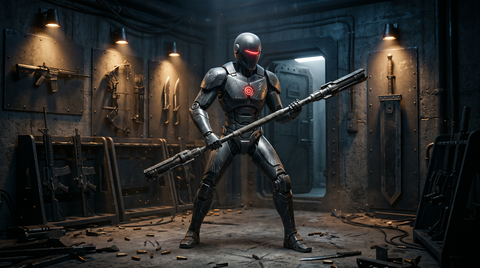
Weapon animations are among the most technically demanding and visually impactful systems in game development. Whether a player is swinging a two-handed greatsword, drawing a longbow, or firing a sci-fi plasma rifle, the quality of weapon animation directly affects how satisfying combat feels. This guide covers the essential components of weapon animation systems, from socket attachments to procedural sway, and explains how motion capture delivers the authenticity players expect.
Weapon Attachment and Socket Animation
Every weapon animation system starts with attachment points. In engines like Unreal Engine and Unity, weapons are bound to skeleton sockets, typically on hand bones. The socket defines where the weapon sits, its rotation offset, and how it follows the character's hand through every animation. Getting socket placement right is critical: a sword that floats a few centimeters from the hand breaks immersion instantly. For sheathed weapons, additional sockets on the back, hip, or thigh handle holstered positions. Animators must ensure smooth interpolation between these sockets during draw and holster transitions.
One-Handed vs Two-Handed Weapon IK
Inverse kinematics (IK) plays a major role in weapon animation. One-handed weapons like pistols and daggers typically need wrist IK to maintain proper aim direction while the body moves independently. Two-handed weapons like rifles, staves, and greatswords require a more complex setup: the off-hand must track a point on the weapon while the dominant hand drives position. This dual-IK approach prevents the classic "floating left hand" problem seen in older games. Modern systems use IK blend weights that adjust dynamically based on animation state, allowing the off-hand to release during reloads or special attacks.
Draw, Holster, and Weapon Swap Animations
The transition between having a weapon stowed and having it ready is a key moment in gameplay feel. Draw animations need to feel snappy in competitive games but weighty in simulation-oriented titles. A well-designed draw animation includes the hand reaching to the holster socket, gripping the weapon, pulling it free, and settling into an idle pose. Weapon swap transitions add another layer: switching from a rifle to a pistol requires blending out of the two-handed grip, stowing the primary weapon, and blending into the sidearm draw. The best systems allow animation cancellation so players never feel locked into a swap they want to abort.
Recoil and Firing Animations
Firing animations differ substantially between first-person and third-person perspectives. In first-person, recoil is heavily emphasized since the weapon dominates the screen. Animators layer procedural recoil on top of authored keyframes, adding randomized horizontal and vertical kick that the player must control. In third-person, firing animations focus on full-body response: the shoulders absorb recoil, the torso shifts, and the stance adjusts. Automatic weapons need looping fire animations with subtle variation to avoid a mechanical feel. Semi-automatic weapons need distinct, punchy single-shot animations. Shotguns demand exaggerated recoil with recovery animations that sell the power of each blast.
Bow Draw and Release Animation
Bow animation is uniquely challenging because the weapon itself deforms during use. The draw animation must show the string pulling back while the bow limbs flex, requiring either blend shapes on the bow mesh or bone-driven deformation. The arrow must track the string nock point precisely. Draw speed often ties to gameplay mechanics like damage scaling, so animators create draw animations that can be played at variable speeds without looking unnatural. Release animations are split-second events that need to feel explosive: the string snaps forward, the bow hand absorbs vibration, and the follow-through shows the archer watching the arrow's flight.
Staff and Magic Weapon Casting Animations
Fantasy games introduce magical weapons with unique animation requirements. Staff casting animations emphasize theatrical, sweeping gestures that telegraph spell type and power level. A quick fire bolt might use a sharp thrust, while a powerful area-of-effect spell calls for a wide, circular wind-up. The staff tip often serves as the VFX spawn point, so its trajectory must be smooth and predictable for particle system attachment. Wands demand smaller, more precise gestures. Two-handed staves need the same IK considerations as rifles, with the off-hand providing support and stability during casting motions.
Weapon Idle Variations and Aiming Layers
A character standing still with a weapon needs life. Weapon idle animations vary by weapon type: a soldier with a rifle might shift weight and adjust grip, while a knight with a sword might rest the blade on a shoulder or test its edge. Multiple idle variations prevent repetition during gameplay pauses. Aiming and ADS (aim down sights) animations add a layer on top of locomotion. The ADS transition tightens the pose, brings the weapon closer to the camera in first-person, and engages IK to lock the weapon's sight line to the screen center. Aim offset systems allow the upper body to track a target independently while the lower body handles movement.
Reload Animation Types
Reload animations are a genre unto themselves. Magazine reloads involve ejecting the spent magazine, reaching for a fresh one, inserting it, and racking the slide or charging handle. Tactical reloads (swapping a partial magazine) differ from empty reloads (requiring a chamber charge). Shotguns use individual shell loading with interruptible animations. Revolvers spin open the cylinder. Belt-fed weapons have multi-step reload sequences. Speed reload animations sacrifice proper magazine retention for faster gameplay. Each reload type must account for left-hand and right-hand actions happening simultaneously, often requiring separate upper-body animation tracks.
Dual-Wielding Animation Challenges
Dual-wielding doubles the complexity of weapon animation. Each hand operates independently, requiring separate animation layers or additive animations. The primary challenge is preventing weapon interpenetration during locomotion and combat. Attack animations must stagger timing between hands to create distinct combo rhythms. Blocking with dual weapons needs both arms to coordinate into a defensive posture. Locomotion while dual-wielding looks unnatural if both arms swing identically, so offset and variation are essential.
Procedural Weapon Sway and VFX Timing
Procedural weapon sway adds organic movement during aiming, simulating the character's breathing and muscle micro-adjustments. This is typically implemented as a sine-wave offset applied to weapon bone rotation, modulated by player state: crouching reduces sway, sprinting increases it, and holding breath eliminates it temporarily. Weapon trail VFX, common on melee combat animations weapons, must be precisely timed to animation events. A sword slash triggers the trail effect at the swing start and disables it at the end. Mistimed trails look disconnected from the action and undermine the visual impact of attacks.
Motion Capture for Authentic Weapon Animation
Motion capture with prop weapons transforms weapon animation quality. Actors handling weighted prop rifles, swords, and bows produce natural weight shifts, grip adjustments, and momentum that are nearly impossible to keyframe convincingly. The subtle way a real person compensates for a heavy two-handed weapon, the micro-adjustments during aiming, and the full-body commitment to a sword swing all translate into animations that feel grounded and physical. MoCap Online provides professionally captured weapon animation packs that give developers access to this level of authenticity without the cost of building a capture studio.
Frequently Asked Questions
How do I prevent weapons from clipping through the character during animations?
Weapon clipping is managed through careful socket placement, IK constraints, and collision-aware animation authoring. During animation creation, regularly check weapon mesh bounds against the character mesh at key poses. Use IK to dynamically adjust hand positions when clipping is detected. For holstered weapons, ensure sheath sockets are positioned where the weapon mesh does not intersect with movement animations like running or crouching.
What is the difference between additive and override weapon animation layers?
Override layers completely replace the base animation for affected bones, which works well for full weapon poses like ADS. Additive layers add their values on top of the base animation, ideal for recoil that layers onto any locomotion state. Most weapon systems use a combination: override for the dominant hand's weapon grip and additive for recoil, breathing sway, and hit reactions.
How many weapon idle variations should I create?
For a polished game, plan for three to five idle variations per weapon type, plus a base idle. These should trigger randomly after a few seconds of inactivity. Some games add context-sensitive idles, such as checking ammo when low on rounds or inspecting a newly acquired weapon. Quality matters more than quantity: two excellent idle variations outperform ten mediocre ones.
Can motion capture be used for all weapon types?
Motion capture works exceptionally well for any weapon that has a real-world equivalent or can be approximated with a prop. Swords, axes, rifles, pistols, bows, and staves all capture beautifully. Fantastical weapons like oversized anime swords or energy whips may require a hybrid approach: capture the body performance with a representative prop, then adjust hand and arm animations to fit the final weapon proportions in post-processing.
Why Pre-Cleaned Data Matters
Motion capture data cleanup is one of the most time-consuming parts of the mocap pipeline. Raw capture data contains marker noise, occlusion gaps, solver artifacts, and foot sliding that must be fixed before the animation is production-ready. Professional cleanup on a single 5-second clip can take 2-8 hours depending on complexity.
MoCap Online handles all cleanup and processing in-house before release. Every animation in our library has been through our full cleanup pipeline: marker reconstruction, gap filling, solve verification, foot contact cleanup, curve smoothing, loop point alignment, and root motion extraction. When you download our packs, the data is ready to import and use immediately — no cleanup work required on your end. This is one of the key advantages of using pre-made mocap packs versus capturing your own data, especially for teams without dedicated motion capture TD staff. Compare the time and cost at our about page.
Weapon Animation Retargeting Across Character Types
Weapon animations face unique retargeting challenges that standard locomotion clips don't encounter. When a sword swing is captured on a six-foot performer and applied to a four-foot character, the weapon arc scales proportionally but the interaction point with the environment does not. A slash that hits waist-height on the original performer may strike the ground on a shorter character without explicit height compensation in the retargeting pipeline.
Hand IK is critical for weapon animation quality across body types. Two-handed weapons like rifles, bows, and greatswords require both hands to maintain precise positions relative to the weapon mesh. Without hand IK correction, retargeted animations on characters with different arm lengths produce visible gaps between the hand mesh and weapon grip. Runtime IK solvers that pin the off-hand to a weapon-space target point solve this problem regardless of character proportions.
Weapon trail effects must synchronize with animation timing rather than using fixed durations. A fast dagger slash completes in 8 frames while a heavy hammer swing takes 24 frames. Trail renderers that sample weapon tip position each frame and connect the dots produce accurate motion arcs for any weapon speed. Storing the trail sample count as a per-animation parameter rather than a global setting ensures each weapon type generates visually appropriate effect trails.
Dual-wielding animation systems multiply the complexity of weapon animation management. Each hand runs an independent state machine that must coordinate during combined attacks. The left hand may be blocking while the right hand executes a thrust, requiring the animation system to blend upper-body clips from two separate sources while maintaining lower-body locomotion from a third. Animation layers with per-bone masking handle this cleanly — left arm on layer one, right arm on layer two, legs and torso on the base layer.
Holstering and drawing animations bridge the gap between exploration and combat states. These transitional clips must work from any starting pose (idle, walking, running) without popping, which makes them ideal candidates for additive animation. An additive draw-weapon clip contains only the delta between the holstered and drawn poses, allowing the base locomotion to continue uninterrupted while the character's hands move to the weapon. This eliminates the jarring full-body pose snap that occurs when playing a draw animation as a full-body replacement clip.
Recoil animation for ranged weapons benefits from procedural generation layered on top of base mocap data. Rather than capturing separate recoil animations for every weapon variant, a single base firing animation receives procedural camera shake and weapon kick driven by per-weapon parameters. The parameters — vertical recoil angle, horizontal spread, recovery speed — can be tuned by designers without requiring new animation capture, enabling rapid weapon balancing during development and live service updates.
Weapon animation libraries must account for the full lifecycle of combat interactions, not just attack swings. Blocking, parrying, staggering from a blocked hit, recovering after a missed swing, and transitioning between combat stance and relaxed stance are all essential clips that players notice immediately when absent. A complete melee weapon animation set typically includes four to six attack variations, two blocks, a parry, a stagger reaction, a dodge, a sheathe and draw sequence, and a combat idle. Ranged weapons add aiming, firing, reloading, and weapon jam animations. Building this complete set from professional motion capture data ensures consistent quality and timing across all combat animations, while custom hand-keyed animations for individual signature attacks can be layered on top for character-specific flavor. The consistency of the base mocap data provides a solid foundation that makes hand-keyed additions feel grounded rather than floaty.