

Explore 3D Animations with MoCap Online's Advanced 3D Viewer
The Essential Role of MoCap Online's 3D Viewer in Animation Selection
At MoCap Online, we recognize the importance of precise 3D character animations in realizing creative visions and the challenges creators encounter when selecting motion capture assets without comprehensive preview capabilities. Imagine a world where you're no longer constrained to static images or linear videos in choosing your animation assets. This is why we created our 3D viewer to help studios and game developers see the complete set of animations they are considering, offering an unprecedented level of insight before committing to a purchase.
Our 3D Animation Viewer serves as a virtual lens that brings clarity and context by providing a panoramic view of our extensive animation library. It allows clients and game developers to meticulously assess every nuance of the motion capture animation, from the seamless arc of a ninja’s leap to the subtle, eerie stagger of a zombie horde.
Join us as we delve into the many facets of the MoCap Online 3D viewer. Discover how it empowers creators like you to make informed decisions, revolutionizing the way you interact with the essential building blocks of digital motion.
The MoCap Online viewer lets you preview every animation in the browser before downloading, saving time during asset selection.
Introducing the MoCap Online 3D Viewer: Your Animation Preview Solution
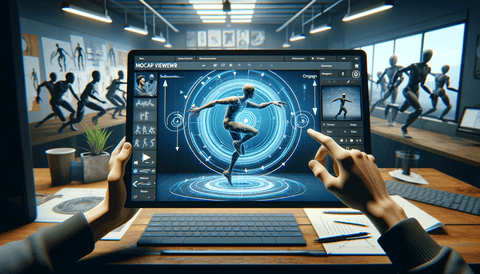
The MoCap Online 3D Viewer is an innovative, user-centric tool crafted to revolutionize the way animators and game developers preview and select 3D motion capture animations before integrating them into their projects. It's a simple yet effective solution that lets you rotate around the character and click on different animations to see each one in individual detail.
Explore the Cutting-Edge Features of Our 3D Animation Viewer
Our 3D Viewer boasts a range of interactive features, enabling users to engage with an extensive library of MoCap animations, ensuring a thorough and user-friendly experience. It ensures that what you see is what you get, allowing customers to confidently select animations that perfectly match their project's needs without any guesswork. Let's dissect the core benefits and functionalities that our 3D Viewer brings to the table.
A. ANIMATION PACK ON PREVIEW
The ability to preview animation packs before purchase. With our 3D Viewer, users gain insightful glimpses into the subtleties of our animations.
- Detailed Quality Inspection:
- Scrutinize the high detail and fidelity of our 3D animation packs ensuring the captured movements are up to professional standards.
- In-Depth Movement Analysis: Analyze the intricate flow and rhythm of each animation, understanding how they convey emotion and intention through the character's body language.
- Transparent Pack Content: Gain a clear understanding of what each animation pack entails, from simple gestures to complex motion trees, removing any guesswork from your purchase.
- Assured Project Compatibility: Ensure animations align seamlessly with your project's aesthetic and technical requirements to ensure they align with your creative vision.
B. ROTATE AROUND THE CHARACTER
Our 3D Viewer's rotational capability ensures that animations are not just visually appealing but are also versatile and adaptable.
- 360-Degree Inspection: Orbit around the character to assess how light, shadow and movement play together in a full range of motion.
- Zoom & Camera Control: Similar to the functionalities found in industry-standard software, zoom in for a closer look at intricate details of finger movement and foot placement, or pull back to understand how an animation reads from a distance.
C. EASY-TO-USE ANIMATION LIST
Efficiency is key in any creative workflow. Our 3D Viewer’s animation list is designed with simplicity and ease of navigation in mind.
- Instant Playback: Click on any animation in the list, and watch it come to life instantly.
- Intuitive Interface: The straightforward layout means finding and previewing the right animation is quick and hassle-free.
- Seamless Browsing: The list allows you to jump between animations without the need to load them individually, streamlining your selection process.
Through these features, our 3D Viewer not only serves as a window into the high-caliber MoCap animations we offer Whether you are an indie game developer, a large animation studio, or an archviz creator, this tool is designed to ensure that the animations you choose are the perfect fit for your projects.
A Step-by-Step Guide to Using MoCap Online's 3D Viewer
- Select Your Animation Pack: Select any of our diverse range of animation packs tailored for various themes and projects from the MoCap Online animation library.
-
Launch the 3D Viewer: Easily access the interactive preview by clicking on the '3D Viewer' tab.

- Let It Load: depending on the size of the pack it may take a moment to load.
-
Play and Preview: Use the play buttons at the bottom to play the animations backward or forward, move between the next and previous animation in the list, take incremental steps forward and back, or loop to play the same animation on repeat.

-
Move Around the 3D Space: Use your mouse to rotate around the character, zoom in and out, and move the camera.

-
Use the Animation List: Click on the animations from the list to switch to any animation.

You can see more of the 3D Viewer in action at the following links:
RIFLE PRO - 3D VIEWER: View Rifle Animations in 3D
NINJA PRO - 3D VIEWER: View Ninja Animations in 3D
MOBILITY BASIC - 3D VIEWER: View Mobility Animations in 3D
ZOMBIE PRO - 3D VIEWER: View Zombie Animations in 3D
PUNCH PRO - 3D VIEWER: View Punch Animations in 3D
Embark on a journey of discovery with MoCap Online's 3D Viewer, your portal to an expansive world of premium MoCap animations, tailored for discerning creators in the gaming and animation industries. It offers a seamless, user-friendly experience that ensures you find the perfect animations for your project. Ready to elevate your project with the perfect animations? View our animation library today and experience the benefits of the MoCap Online 3D viewer.
Related Articles
- What is Motion Capture? A Complete Guide for Game Developers
- Motion Capture Animation Packs: The Complete Buyer's Guide (2026)
- FBX Animation: The Definitive Guide for Game Developers
- Free Motion Capture Animations: Best Sources for Game Developers in 2026
- Browse All Motion Capture Animation Packs
Using the MoCap Online 3D Viewer for Pre-Purchase Evaluation: What to Check
The 3D animation viewer is most valuable as a technical evaluation tool rather than a visual showcase. Developers who treat it as a preview — watching the animation play once and deciding based on overall impression — miss the specific quality signals that determine whether a clip will perform correctly in their engine. The most informative evaluation technique is to pause the viewer at the contact frames of a locomotion clip — the moment each foot plants on the ground — and inspect the joint positions carefully. A professionally captured and cleaned locomotion clip has precise, consistent foot contacts with no visible interpenetration with the floor plane and no gap between the foot and the surface at the plant frame. Foot contact quality in the viewer predicts foot plant quality in the game engine more reliably than any other single visual indicator.
For combat and action clips, use the viewer's frame-by-frame scrubbing capability to evaluate the anticipation and follow-through timing. Professional mocap captures the physical preparation before a major movement — the slight weight shift backward before a punch throw, the hip rotation that initiates a sword swing before the arm follows — which is what makes captured animation read as physically real compared to procedural or hand-keyed alternatives optimized for mechanical clarity. In the viewer, scrub backward from the peak of an attack to identify whether there is 2-4 frames of anticipation before the strike. Clips that go directly from neutral to maximum velocity without anticipation phases were either captured too quickly or had the anticipation cleaned out — a sign of over-processed data that will feel mechanical in context.
The character model in the viewer uses the same skeleton structure as the delivered animation files, which makes it useful for preliminary fit evaluation before purchasing. If your game character has significantly different limb proportions from the viewer's character — shorter legs, longer arms, non-humanoid body plan — note how the clip's extremities move relative to the character center. Significant proportion differences will require retargeting work after purchase, and the viewer gives you an approximation of whether the motion data's fundamental character will survive that retargeting. A sword swing that relies on the arm fully extending to read correctly, for instance, will look visually different on a character with shorter arms even after technically correct retargeting, because the full extension of the shorter arm does not reach the same spatial endpoint as the captured performer's arm. Evaluating this in advance prevents purchasing clips that require additional manual adjustment to work correctly with your character.
What the 3D Viewer Cannot Show: Validating Blend and Root Motion Before Purchase
The 3D Viewer is an invaluable pre-purchase tool for evaluating individual clip quality, but there are two critical production characteristics it cannot directly demonstrate: how clips from the pack blend together in a blend space, and how root motion behaves when the character changes direction mid-animation. Both of these only manifest inside a game engine with the full character and locomotion system configured. The viewer's limitation on blend behavior is inherent to its single-clip preview design — it shows each clip individually but cannot simulate the weighted interpolation between a forward run and a right strafe that your 2D blend space will compute at runtime.
Root motion direction can be partially evaluated from the viewer by watching the character's world position change during a locomotion clip. A correctly configured root motion clip will show the character translating in the expected direction — forward run translates forward, right strafe translates right — without any drift perpendicular to the intended direction. Drift perpendicular to the intended direction indicates that root motion was extracted from capture data where the performer did not move in a perfectly clean cardinal direction, and cleanup did not fully correct the trajectory. Use the 3D Viewer alongside the pack's technical documentation to evaluate both clip quality and production compatibility before purchasing.