
Skip to content
MoCap OnlineMoCap Online
{"title"=>"Account", "addresses"=>"Addresses", "orders"=>"Orders"}
Shopping Cart 0
Close Back
  • Packs
    • Archviz Animations
    • Game Animations
    • Horror Animations
    • Shooter Animations
    • Combat Animations
    • Animation Starter Packs
    • Pro Animation Packs
    • Free MoCap Animations
    • Browse All
  • Formats
    • Unreal Engine
    • Unity
    • FBX
    • BIP
    • iClone
    • Blender
  • More
    • Tutorials
    • Blog
    • Contact
    • Free Samples
    • Custom Animation
    • Request an Animation
    • Share Your Projects
    • Support
    • Vault
    • Register Your Purchase
  • About
  • Blog
  • Contact
  • Animation Requests
Country/region
Close
Your cart is currently empty.
0
Continue browsing

Total: $ 0.00

Taxes and shipping calculated at checkout
View Cart
Standard License included — covers personal, indie & small commercial projects.
Close
Home/Unreal Engine Animations/UE4 Blueprints: Multiplayer 3rd Person Shooter
UE4 Blueprints: Multiplayer 3rd Person Shooter - MoCap Online
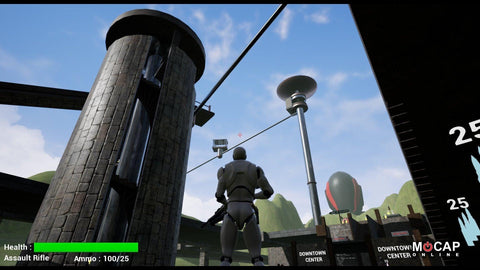
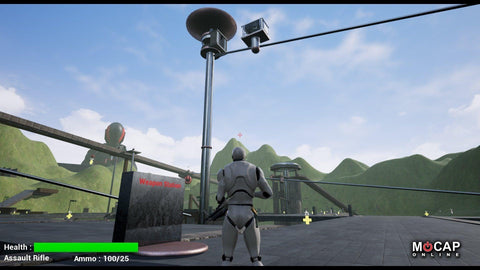
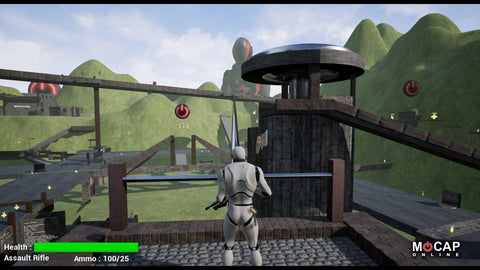
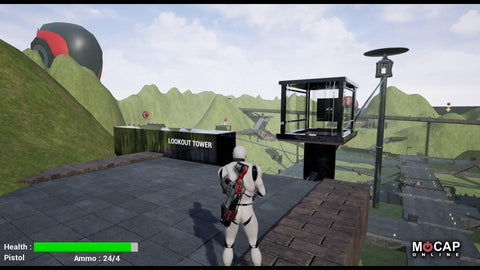
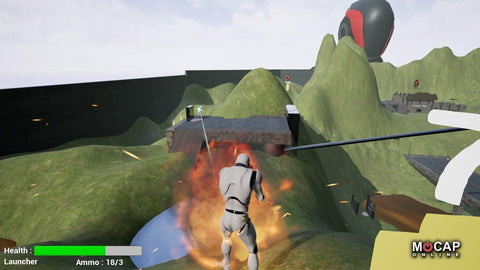
Preview frame 2: in-engine gameplay capture from the third-person shooter sample — MCO Unreal Engine Unreal blueprints
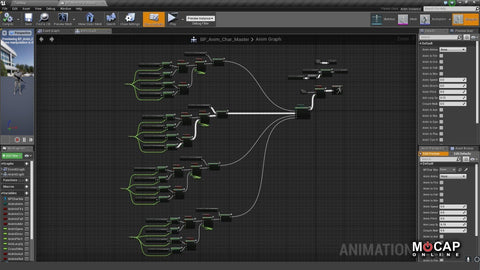
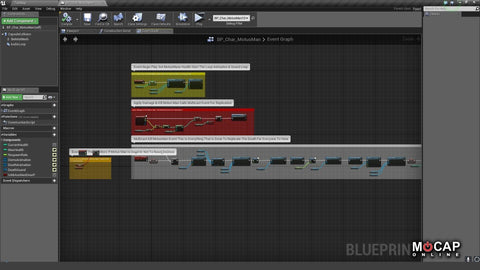
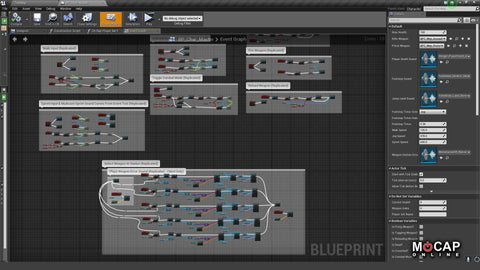
Preview frame 3: blueprint graph thumbnail showing a multiplayer logic flow — MCO Unreal Engine Unreal blueprints
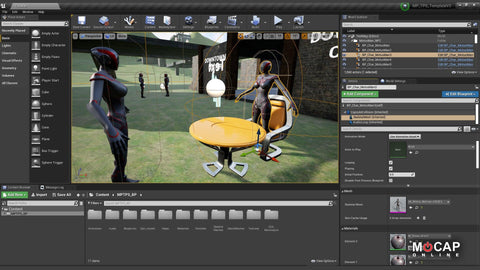
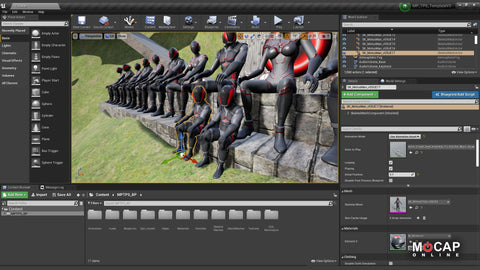
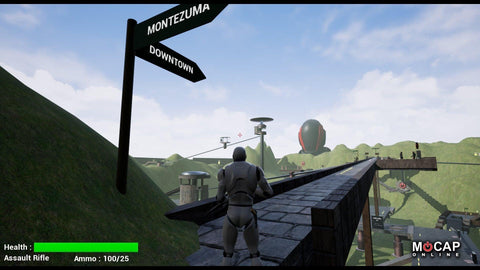
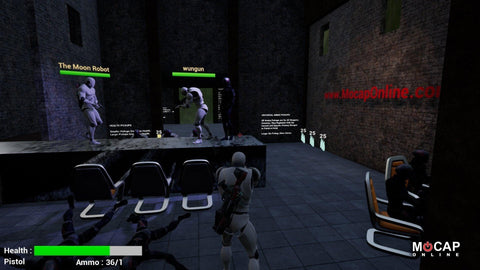
Preview frame 4: character preview from the multiplayer shooter template — MCO Unreal Engine Unreal blueprints sample
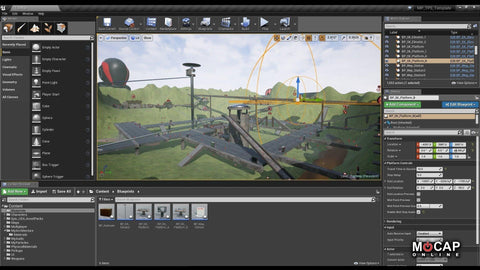
Preview frame 5: level editor view of the third-person shooter sample map — MCO Unreal Engine Unreal blueprints sample
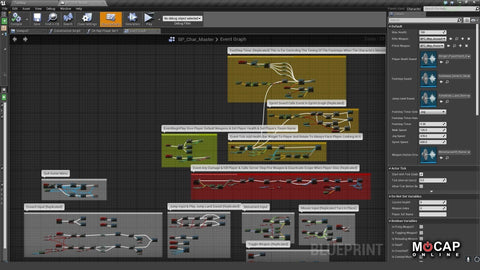
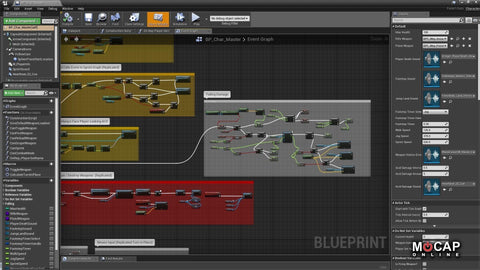
Preview frame 6: node detail of multiplayer replication blueprint — MCO Unreal Engine Unreal blueprints sample pack
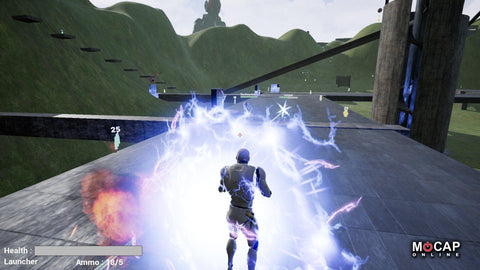
Preview frame 7: in-engine combat capture from the shooter blueprint sample — MCO Unreal Engine Unreal blueprints
Preview frame 8: screenshot of player HUD inside the shooter blueprint sample — MCO Unreal Engine Unreal blueprints
Preview frame 9: Unreal Editor screenshot of multiplayer shooter blueprint nodes — MCO Unreal Engine Unreal blueprints
Preview frame 10: in-engine gameplay capture from the third-person shooter sample — MCO Unreal Engine Unreal blueprints
Preview frame 11: blueprint graph thumbnail showing a multiplayer logic flow — MCO Unreal Engine Unreal blueprints
Preview frame 12: character preview from the multiplayer shooter template — MCO Unreal Engine Unreal blueprints sample
Preview frame 13: level editor view of the third-person shooter sample map — MCO Unreal Engine Unreal blueprints sample
Preview frame 14: node detail of multiplayer replication blueprint — MCO Unreal Engine Unreal blueprints sample pack
Preview frame 15: in-engine combat capture from the shooter blueprint sample — MCO Unreal Engine Unreal blueprints
Preview frame 16: screenshot of player HUD inside the shooter blueprint sample — MCO Unreal Engine Unreal blueprints
Preview frame 17: Unreal Editor screenshot of multiplayer shooter blueprint nodes — MCO Unreal Engine Unreal blueprints
Home/Unreal Engine Animations/UE4 Blueprints: Multiplayer 3rd Person Shooter
MoCap Online

UE4 Blueprints: Multiplayer 3rd Person Shooter

Instant download License included Support available
Sale price: $ 79.99 Regular price: $ 99.99

Unreal Engine Shooter Blueprints — FPS Animation Integration

The UE4 Shooter Blueprints package provides a complete Unreal Engine shooter template with professional motion capture animations integrated through Blueprint visual scripting. This project demonstrates production-ready FPS and TPS animation systems including weapon aiming, firing, reloading, hit reactions, and locomotion — all driven by MoCap Online studio-quality animation data.

Inside you will find fully configured Animation Blueprints with aim offset blend spaces, weapon state machines, and montage-driven action sequences. The shooter template handles common FPS challenges: smooth aim transitions between hip-fire and ADS, upper-body layering for shoot-while-moving, additive hit reactions that preserve locomotion, and proper weapon socket attachment with IK adjustments.

Built for Unreal Engine 4 and 5, every Blueprint graph is fully editable and documented. Study the implementation to learn how professional studios integrate motion capture data into shooter games. The project structure follows Unreal best practices with clean folder organization, descriptive variable naming, and modular Blueprint components you can extract for your own projects.

Use this template alongside our Rifle Animation Pack or Pistol Animation Pack for a complete shooter animation solution. See all available Unreal Engine animations or start with our free pack to evaluate quality.

UE4 Multiplayer Shooter V3.0: Blueprints & MoCap Animations

NEW UPDATE / Version 3.0
UE4 Engine 4.26 - 4.27 

***VERSION 3.0 UPDATE!!***

Version 3.0 Update and Additional Features:

  • Engine 4.26.2 - 4.27.x  (4.25 had issues)
  • Deprecated variable “PlayerName” replaced, BP fixed and tweaked.
  • Three new skeletal meshes for Player and NPC's(in addition to SK_Mannequin):
  • MotusMan
  • MotusWoman
  • MotusChild
  • All NPC actors and their animations converted to stock Unreal Skeleton, so Player and NPCs share all of the same skeletal meshes and animations.
  • “Set Audio Listener Override” added and replicated setting the position to on the Player’s head, not the default of on the Camera 10ft behind the Player, for more accurate and realistic audio perception of Player position.

***NOTE: As of this time Epic has broken Steam multiplayer in 4.27.2

  • Hosting a game on Steam returns the error: “No Session Could be Created” or similar.
  • There is not an error on our part, the BP is solid. See bug report here:
  • Epic Games Bug Report UE-136316
  • Please log in a vote to get this fixed before 5.1!

Version 3.0 Addendum:
MCO_UE4_MPTPS_Blueprints_v3 ADDENDUM 03_21_2022.pdf

Documentation is in the HDD folder: “...Project/Source_MPTPS/” - Please read all included docs.

Original Version 2.1 Features:

  • Over 200 Animations from Mocap Online, many custom to this pack only.
  • v2.1 New revised Weapon Sockets and Animations
  • Gravity/Velocity based falling damage for Player
  • Moving/Rotating Platforms and Elevators
  • Acid Pools that cause progressive damage with audio feedback
  • Massively redone “TestMap” Level with expanded Ramps and SkyWays, Lookout Sniper Tower, New Audio, and many new entertaining things and places to see and explore.


Network Replicating Multiplayer 3rd Person Shooter 
Master Blueprints for all Assets
UE4 SK_Mannequin and MotusMan 3D Characters
Weapon and Projectile system
Character Animations & Controls
Demo "TestMap" Level Included

Download Free UE4 Shooter Blueprint Demo (Version 2)

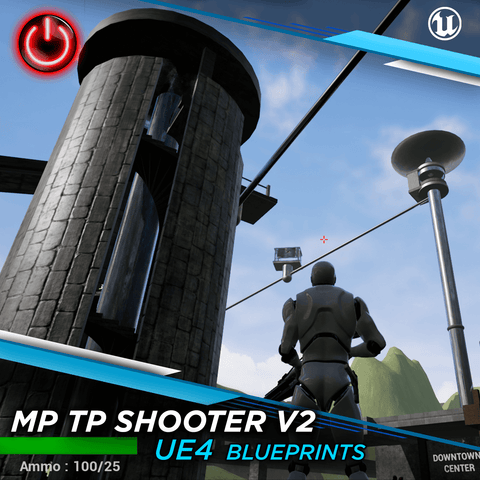
A comprehensive set of Blueprints for a third-person shooter with network replication for multiplayer support. A modular system and great starting point to create your own game, with many custom animations and audio. Our MotusMan skeletal mesh is used for NPCs and includes several demo animations from our other Mocap Online Animation Packs.

Please check out the FREE Playable Demo Level! It is included with the Blueprints and fun to run around fragging, do some platforming exploration in more remote areas with a few surprises. Have fun! Explore!

Walkthrough

QUICK WALKTHROUGH OF THE V2 PLAYABLE DEMO LEVEL:

Overall Project Features
  • Original Version 2 - FEATURES:
    • Massively redone and expanded “TestMap” Level with many new environment additions and Audio.
    • Three types of automated moving platforms actor Blueprints: Elevator, Free Translate/Rotate Platform, and Free Translate/Rotate Platform w/Automatic Doors. All with custom audio and auto-reverse collisions.
    • Gravity/Velocity based falling damage for Player - Initial plus two thresholds for damage multipliers, and three damage thresholds for different custom audio cues.
    • Acid Pools that cause progressive damage with audio feedback.
    • Controls and Gameplay instructions throughout the "TestMap" on various walls as Text Objects.
    • Pickups have values as floating text that always faces camera.
    • Player and Weapon are invisible during scope mode.
    • Audio field tweaks.
    • Many new entertaining things and places to see too numerous to mention.
  • Full Player movement in eight directions - Crouching, Walk, Jog, Sprint -  Jumping
  • Basic Network Setup for playing through LAN or via Steam.
  • Five base weapons plus Pistol to start with, one with Scope.
Technical Info
  • Project is done with 100% Blueprints.
  • Player animations all in-place, non-root motion.
  • Version 2.1 has new Sockets on the Right Hand and Middle Finger for all Weapons, and updated Player Animations for them. The “hand_r_wep” bone is no longer used.
    This allows other Characters with skeletal meshes that use the stock Epic Skeleton and proportions to instantly integrate into the Project with the “Assign Skeleton” function.
  • Elements from the Free - "Shooter Game Pack" and "Starter Content" © Epic Games - including audio cues/.wav's, materials, particles, textures and objects - are included and used as examples.
  • Custom audio and objects also included and implemented.
  • 178 Rifle and Pistol Animations and 32 Aim Offsets, many custom to this pack only.
  • 42 MotusMan MocapOnline demo Animations.
  • 46 WAV’s and Audio Cue’s
  • Weapons Blueprint Details:
    • Master Weapon Blueprint can create Child Blueprints from 5 different type firing modes in Hitscan or Projectile variants.
    • Firing modes include:
      • Single Fire
      • Auto Fire
      • Burst Fire
      • Multi-Fire (shotgun type weapons)
      • Stream fire (continuous beam weapons)
    • Weapons also deal random damage by setting a min and max damage, including a critical damage multiplier that can be set for increasing headshot damage.
    • Master Projectile Blueprint that can create Child Blueprints of various types of projectiles, including bullet or explosives with area of effect damage.
    • All Player animations are on the UE4 Mannequin skeletal mesh with IK bones.
    • NPC animations are on our MotusMan skeletal mesh, its collisions are set up and ready for Ragdoll if you choose. It is also set as Humanoid for the Retarget Manager, so all animations can be transferred and used on the UE4 Mannequin if desired. The animations are available for separate purchase already on the UE4 Mannequin if desired.
    • Full movement in eight directions - Crouching, Walk, Jog, Sprint - Jumping
    • Relaxed and Shooting aim offsets.
    • Master Health and Ammo Pickups that can create Child Blueprints set to different amounts and respawn times.
    • Master Weapon Station that stores up to 5 weapons that can be changed during a match by interacting with it.
    • Random respawn that selects at random any player start in the level to respawn a player after death.
    • Basic Network Setup for playing through LAN or via Steam.
    • WeaponSocket is attached to “hand-r-wep” and is for animated attachment of the Rifle. “hand-r-wep” creates the correct Rifle position always.
    • RifleHolsterSocket and PistolHolsterSocket for Rifle and Pistol body attachment.
    • Documentation and Instructions are in the HDD folder: “.../Project/Source_MPTPS/”  

    Military Rifle Pro Mocap Animation List

    TUTORIALS - Mocap Online YouTube Playlist:
    Unreal Engine 4 - MP Third Person Shooter Tutorials

    John Galt - Programmer Galtphoto Medium
    John Galt on YouTube

    UE4 Multiplayer Shooter Blueprints — Full Project
    Free UE4 Blueprint Demo

    MOTION CAPTURE ONLINE / MOTUS DIGITAL 
    mocaponline.com
    UE4@MotusDigital.com

    NOTE: 
    Elements from the Free - "Shooter Game Pack" and "Starter Content" © Epic Games
     - including audio cues/.wav's, materials, textures, particles, objects - are included and used as examples.

    MOCAP ONLINE / MOTUS DIGITAL 
    mocaponline.com 
    UE4@MotusDigital.com

    Also available on the UE4 Marketplace.

    Animation Guides & Resources

    • Combat Animation Games Guide
    • Game Developer Animation Workflow

    Blueprint Architecture & System Overview

    The UE4 Multiplayer Third Person Shooter Blueprints package is built on a modular, inheritance-based architecture. Every major gameplay system uses a Master Blueprint that spawns specialized Child Blueprints, making it straightforward to extend or replace individual components without touching the core framework. This design philosophy means you can swap out weapon types, modify damage calculations, or add entirely new movement modes while the networking layer handles replication automatically.

    At the heart of the system is the Player Character Blueprint, which manages input handling, animation state machines, weapon attachment sockets, health tracking, and network replication. The character blueprint communicates with the Game Mode and Game State blueprints to coordinate match flow, player spawning, score tracking, and session management across all connected clients.

    100% Blueprint — Zero C++ Required

    Every system in this package is implemented entirely in Unreal Engine Blueprints. No C++ compilation needed. This makes the project accessible to designers and artists who want to prototype multiplayer shooter mechanics without writing a single line of code, while still providing a professional-grade foundation that programmers can extend.

    Animation System & State Machines

    The animation system uses layered Animation Blueprints with Blend Spaces and Aim Offsets to deliver smooth, responsive character movement. The locomotion state machine handles transitions between idle, walk, jog, sprint, crouch, and jump states across all eight movement directions. Each state blends seamlessly using motion-captured animation data from MoCap Online's professional studio sessions.

    Key animation features include:

    • Layered Animation Blending — Upper body aiming and weapon handling blend independently over lower body locomotion, so a character can sprint while aiming or crouch-walk while reloading.
    • Aim Offsets — 32 directional aim offset poses for both relaxed and combat stances, providing precise weapon targeting that follows the camera orientation.
    • Animation Montages — Weapon firing, reloading, melee attacks, and hit reactions use montages that layer on top of the base locomotion, with proper network replication so all players see the same animations.
    • IK Bone Support — All player animations are built on the UE4 SK_Mannequin skeleton with inverse kinematics bones, enabling foot placement and hand positioning adjustments at runtime.
    • Retargeting Ready — The MotusMan skeletal mesh is configured as Humanoid in the Retarget Manager, so every animation can be transferred to the UE4 Mannequin, MetaHuman, or your own custom character rig.

    Weapon & Projectile System

    The weapon system is built around a Master Weapon Blueprint that defines shared behavior for all weapons: equipping, firing, reloading, ammo tracking, and socket attachment. Child Blueprints inherit from the master and override specific properties like fire rate, damage values, projectile type, and audio cues. Five firing modes are supported out of the box: single shot, automatic, burst, multi-projectile (shotgun), and stream (flamethrower).

    The Master Projectile Blueprint follows the same pattern. Standard bullet projectiles use line traces for instant hit detection with per-bone damage multipliers, including headshot bonuses. Explosive projectiles use radial damage with falloff, making it simple to create grenades, rockets, or area-denial weapons by adjusting a few exposed variables in the child blueprint.

    Weapon Socket Configuration

    Socket Name Location Purpose
    hand-r-wep Right Hand Active weapon attachment during gameplay — ensures correct rifle positioning at all times
    RifleHolsterSocket Back / Spine Holstered rifle placement when switching to secondary weapon
    PistolHolsterSocket Hip / Thigh Holstered pistol placement when rifle is active

    Network Replication & Multiplayer Setup

    Every gameplay-relevant action in the blueprint system is network-replicated. Player movement, weapon firing, damage events, health changes, animation states, and score updates all synchronize across server and clients using Unreal Engine's built-in replication framework. The system supports up to 8 concurrent players via LAN or Steam online sessions.

    The networking architecture uses a listen-server model where one player hosts the match. The Session Manager Blueprint handles game discovery, connection, and disconnection gracefully. Player spawning uses a randomized system that selects from all available Player Start actors in the level, preventing spawn camping and ensuring fair distribution across the map.

    The Audio Listener Override added in Version 3.0 repositions the audio listener from the default camera location (roughly 10 feet behind the player) to the player character's head bone. This replicated setting ensures that every player hears spatial audio relative to their character's actual position, dramatically improving gameplay awareness in multiplayer firefights.

    Setting Up in Your Unreal Engine Project

    Getting started with the Shooter Blueprints is straightforward. The package includes a complete Unreal Engine project with all assets, animations, materials, and blueprints pre-configured and ready to play.

    1. Download and extract the project archive to your Unreal Engine projects directory.
    2. Open the project in UE4 4.26 or 4.27 (recommended). The project file will prompt for engine version association if needed.
    3. Navigate to the TestMap level in the Content Browser and open it to explore the complete demo environment.
    4. Press Play in the editor to launch a single-player session, or use the multiplayer menu to host or join a LAN/Steam session.
    5. Review the documentation in the Source_MPTPS folder for detailed setup instructions, blueprint explanations, and customization guides.

    UE5 Migration Notes

    While this project targets UE4 4.26–4.27, many users have successfully migrated the blueprints to Unreal Engine 5. UE5's backward compatibility handles most blueprint nodes automatically. You may need to update deprecated nodes flagged during migration and adjust material references for UE5's rendering changes. The animation assets (FBX-based motion capture data) transfer cleanly. For guidance on working with MoCap Online animations in UE5, see our complete UE5 animation guide.

    Integrating Additional MoCap Online Animation Packs

    The Shooter Blueprints are designed to work with MoCap Online's full library of motion capture animation packs. Because all animations use the standard UE4 Mannequin skeleton with IK bones, you can import additional packs directly into the project and reference them in the Animation Blueprint without any retargeting steps.

    Popular packs that complement the Shooter Blueprints include combat rifle animations, pistol sets, melee attack sequences, and movement packs with additional locomotion variations. Each pack follows the same skeleton and naming conventions, so integrating new animations into existing Blend Spaces and state machines is a matter of adding new entries and adjusting transition rules.

    For packs that use a different skeleton (such as our MotusMan or MotusWoman meshes), the Retarget Manager in UE4 handles cross-skeleton animation transfer. Version 3.0 of the Shooter Blueprints already includes all three skeletal meshes (MotusMan, MotusWoman, MotusChild) configured and ready for retargeting, so you can use any MoCap Online animation across any character in the project.

    Compatible Formats & Resources

    MoCap Online delivers animation data in industry-standard formats optimized for each engine. The Shooter Blueprints use the Unreal Engine format natively. If you work across multiple engines or need raw animation data for custom pipelines, our other format options include FBX, BIP, Unity, Blender, and iClone.

    Visit the Unreal Engine format page for detailed specifications on skeleton configuration, bone naming, scale settings, and import procedures. For a comprehensive walkthrough of using motion capture data in Unreal Engine 5, read our How to Use Motion Capture Animations in Unreal Engine 5 blog post.

    MoCap Online is a division of Motus Digital, providing professional motion capture animations since 2007. All animations are captured in our studio using professional optical and inertial motion capture systems.

    Frequently Asked Questions

    Q: What Unreal Engine versions are compatible with these shooter blueprints?

    These blueprints were created for Unreal Engine 4 and are compatible with UE4 versions 4.15 and above. While UE5 can import UE4 projects, some blueprint nodes may require updating to match the latest engine API. The core animation logic and state machine architecture will transfer to UE5 with minimal adjustments.

    Q: Do I need programming experience to use these blueprints?

    No traditional coding experience is required since Unreal Engine blueprints use a visual scripting system. However, a basic understanding of game logic concepts like state machines, variables, and event-driven programming will help you customize the system. The included blueprints provide a fully functional foundation that you can modify and extend without writing any C++ code.

    Q: Can I use my own animations with these shooter blueprints?

    Yes, the blueprint system is designed to work with any properly formatted animation assets. You can swap in your own motion capture data or animations from packs available on MoCap Online, as long as they target the UE4 mannequin skeleton or are retargeted to match. The animation blueprint's state machine and blend space setups will work with any compatible animation sequences you assign to them.

    Q: What shooter mechanics are included in this blueprint pack?

    The pack includes core third-person shooter mechanics including weapon aiming and firing, movement with directional animation blending, reload systems, hit reactions, and death animations. The animation state machine handles transitions between idle, walk, run, aim, fire, and reload states with proper blending. These blueprints serve as a production-ready starting point that can be expanded with additional mechanics like cover systems, weapon switching, or melee combat.

    The UE4 Shooter Blueprints pack includes a complete animation blueprint system built specifically for Unreal Engine first-person and third-person shooter projects. Every animation is driven by production-quality motion capture data recorded with professional performers executing authentic tactical movements including weapon handling, reloading sequences, aim-down-sight transitions, and cover-based shooting mechanics.

    Each blueprint is fully commented and modular so developers can integrate individual systems like weapon switching, movement speed blending, and hit reactions without importing the entire framework. The pack ships with documentation and video walkthroughs that explain the state machine logic, blend space configuration, and anim notify setup so teams can extend the system to fit their specific gameplay requirements.

    Related guides & tutorials

    • Shooter Animation Pack
    • Third-Person Shooter Animation
    • Unreal Engine Animation Blueprints
    LICENSING

    Standard License included — covers personal, indie, and commercial use up to 1M end users / $1M revenue. Royalty-free, perpetual.

    Need commercial rights for larger projects? View licensing options

    Planning to use AI tools with these animations? An AI Usage Permit is required for all AI applications.

    Quick Links

    About Contact Custom Services Community Showcase Blog

    Follow Us

    FacebookInstagramTwitterYouTubeVimeoPinterestEmail

    Newsletter

    Country/region
    American Express BancontactDiners ClubDiscoverGoogle Pay iDEAL WeroMastercardPayPalShop Pay Visa
    Copyright © 2026 MoCap Online. Powered by Shopify
    Newsletter

    Stay up to date on the latest product releases, special offers & news by signing up for our newsletter.

    Read our privacy policy.

    15% off your first pack — code WELCOME15. Still browsing? Your WELCOME15 is still here when you're ready. Get the code →